Billing and GST
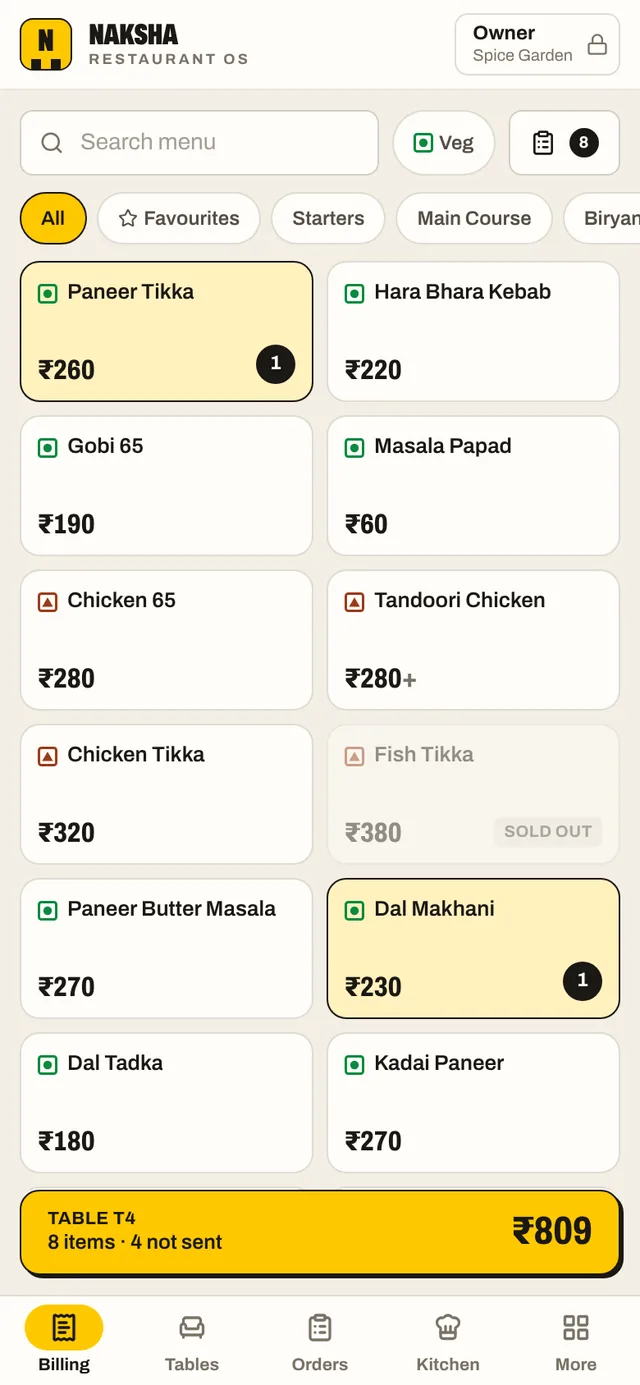
Dine-in, takeaway and delivery. Sizes, add-ons, cooking notes, discounts, packing charges and split payments on one screen.
Restaurant billing software · made in India
GST bills in three taps, KOTs on the kitchen screen, tables, stock and khata. It runs on the phones and PCs you already own, and it keeps billing when the internet drops.
No card. About a minute to set up. Plans from ₹499 a month.
The demo is a sample restaurant: nothing to sign up for.
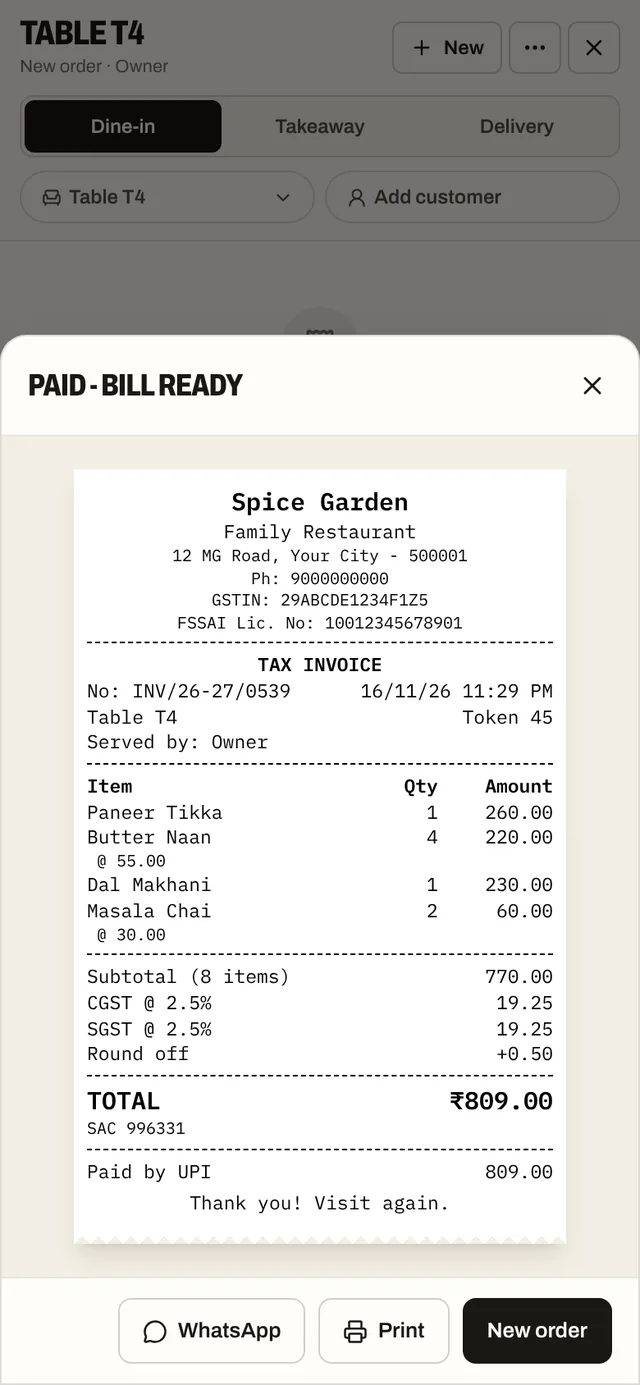
SPICE GARDEN
Family Restaurant
GSTIN: 29ABCDE1234F1Z5
FSSAI Lic. No: 10012345678901
TAX INVOICE
No: INV/26-27/0042Table T4
Paneer Tikka × 1260.00
Butter Naan × 4220.00
Dal Makhani × 1230.00
Masala Chai × 260.00
Subtotal770.00
CGST @ 2.5%19.25
SGST @ 2.5%19.25
Round off+0.50
TOTAL₹809
Paid by UPI
Thank you! Visit again.
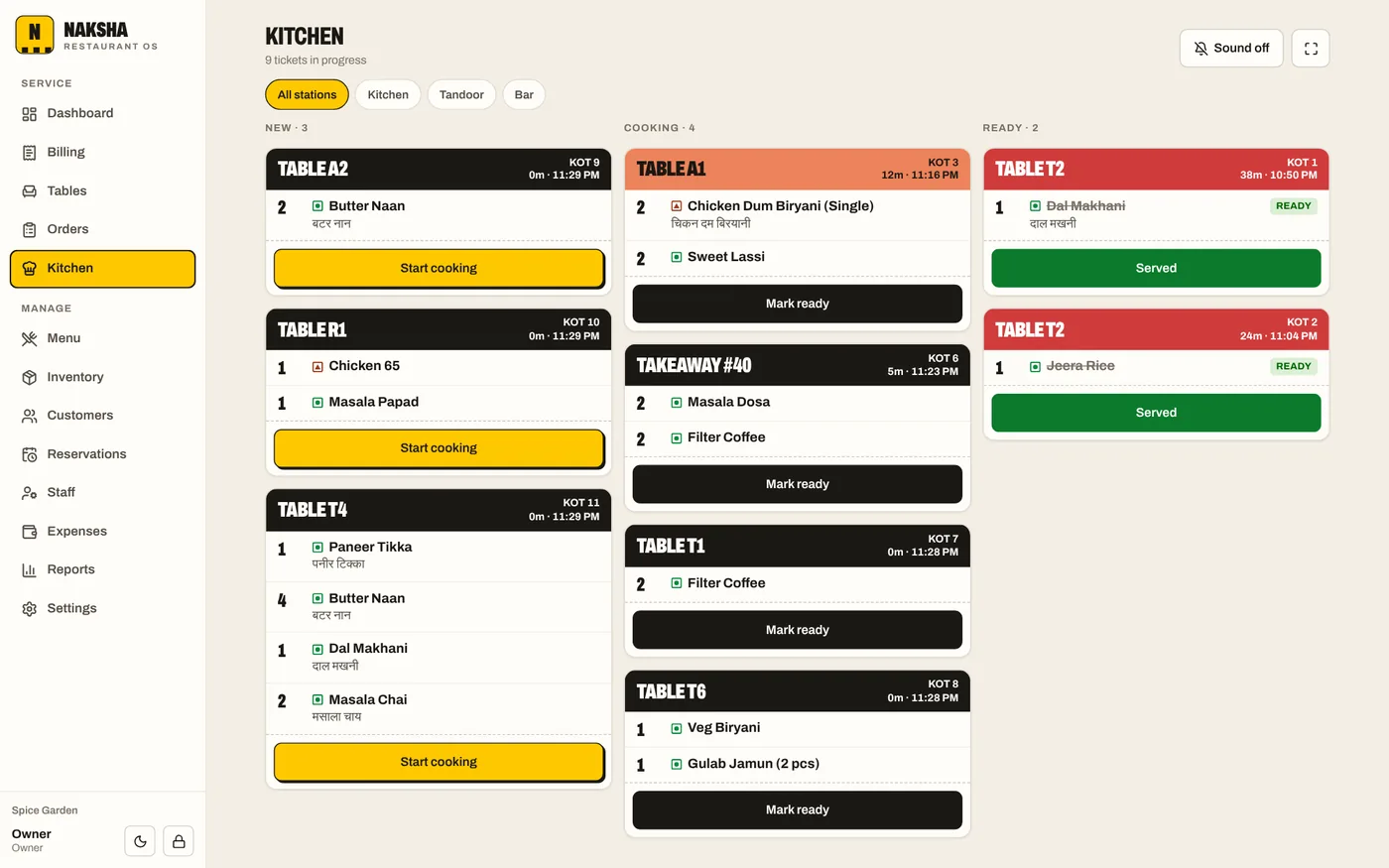
KOT 14T4
8:31 PM · Arjun
1 × Paneer Tikka
Less spicy
4 × Butter Naan
1 × Dal Makhani
It runs in the browser. Add it to the home screen and it opens like an app. Nothing to install, no special hardware.
Every device keeps its own full copy. Bills and KOTs carry on without internet and catch up when it is back.
CGST and SGST split out, prices with or without tax, round-off, and your GSTIN and FSSAI number on every bill.
Everything switched on for 6 devices. No card. Your menu and bills stay yours whatever you decide.
ALL What is in it
One sign-in for the restaurant, a PIN for each person. Owners see everything, cashiers see the counter, the kitchen sees its tickets.
Dine-in, takeaway and delivery. Sizes, add-ons, cooking notes, discounts, packing charges and split payments on one screen.
Numbered KOTs carry only the new items. The kitchen screen sorts them into New, Cooking and Ready, by station.
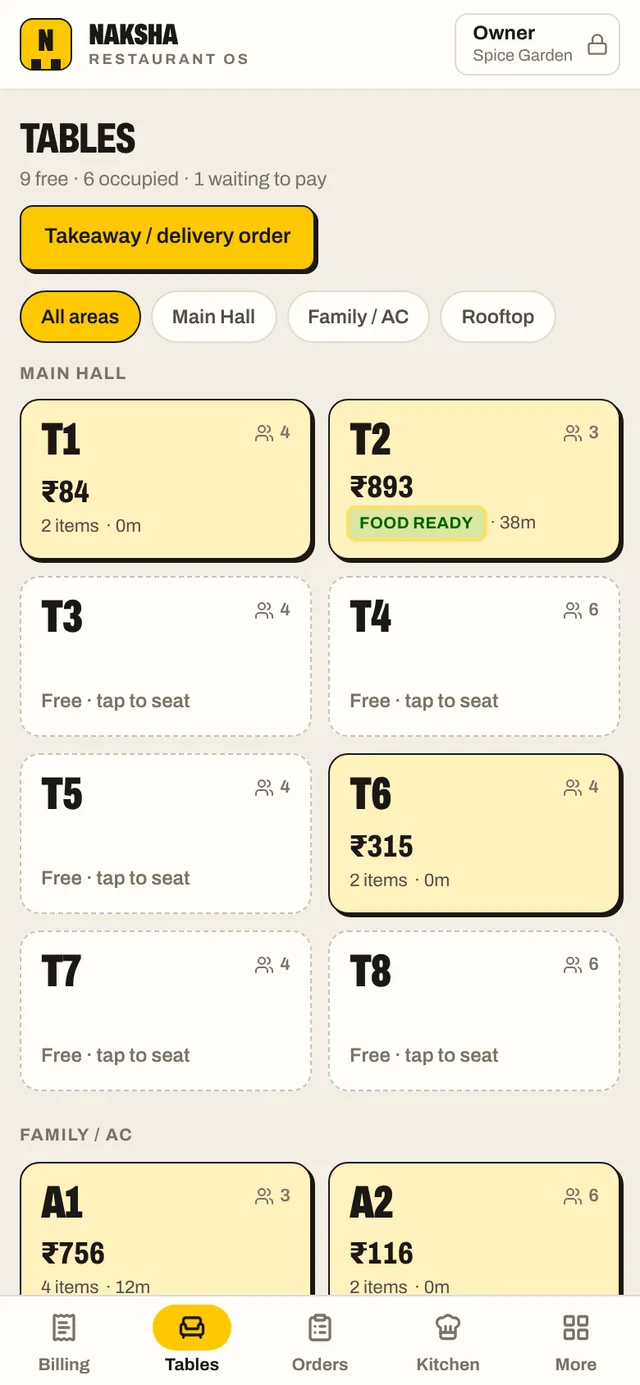
A floor plan by area that shows free, occupied, food ready and bill printed. Move an order to another table in two taps.
Categories, veg, egg and non-veg marks, half and full, add-ons, a sold-out switch and favourites. A second language on the KOT.
A scan-to-pay QR for the exact bill amount. Cash with the change worked out, card, or part cash and part UPI.
Put a regular's bill on their account, see who owes what, and record payments. Points on every bill if you want them.
Stock in with supplier and cost, wastage and low-stock alerts. Give a dish a recipe and each bill takes its stock out.
Owner, manager, cashier, waiter and kitchen, each with a PIN. Cancellations and big discounts need a manager. Attendance too.
Sales by day and by dish, a GST summary and bill register for the accountant, payment modes, and a cash count at closing.
Vegetables, gas, rent and salaries entered as they are paid, set beside sales for a month-by-month profit estimate.
Bookings by date, time and table, with tonight's list on the dashboard so the right table is held.
The counter PC, the waiters' phones, the kitchen screen and your own phone at home all show the same restaurant.
01 Billing
Tap the dish, tap KOT, tap Pay. The tax, the round-off and the bill number are already done.
Amount due
₹809
Cash ₹1,000 · return ₹191
02 KOT and kitchen
03 Tables
Who is seated, what they have ordered, whose food is ready and who is waiting for the bill.
04 Devices
Sign in on each device with the restaurant's account. An order taken on a waiter's phone is on the kitchen screen and the counter in about five seconds.
Takes the order
Table T4 · 4 items
KOT 14 sent 8:31 PM
Cooks it
KOT 14 · T4
Cooking 3 min
Bills it
INV/26-27/0042
₹809 paid by UPI
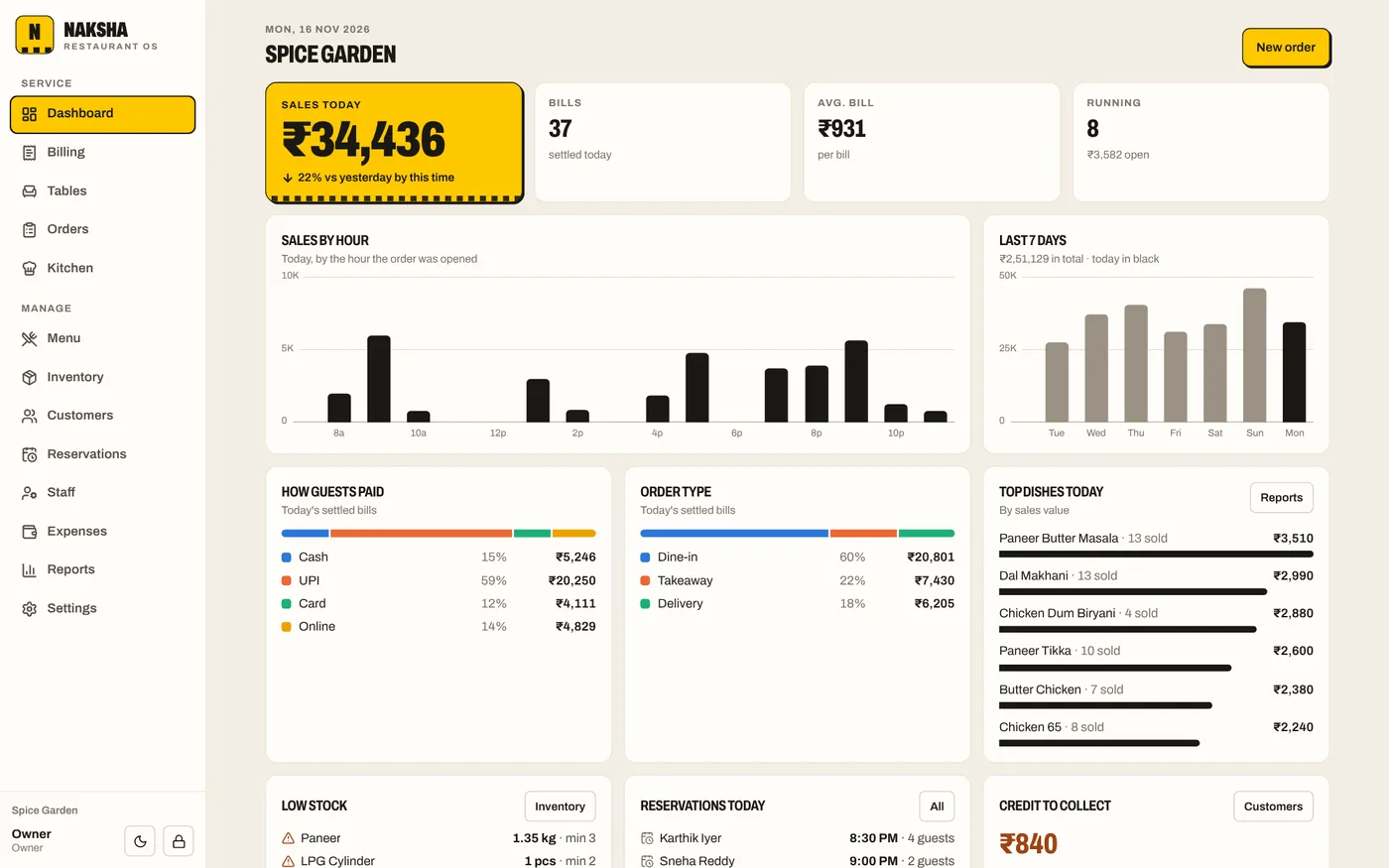
Sees the day
Today · 96 bills
₹48,250 so far
Each device bills in its own series: INV/26-27/0042 at the first counter, INV/26-27/B0017 at the second. Two counters can never issue the same number, even with no internet.
If two waiters add to the same table at once, both sets of items stay on the order. A settled bill is final and a late edit from another device cannot reopen it.
See every device that is signed in and sign any of them out from Settings. It stops syncing straight away.
05 No internet
This is not a website that needs the internet for every tap. Each device holds the whole restaurant.
Offline3 changes waiting to sync
Back online: 3 offline changes synced
06 Money
07 Team
Each person signs in with a four-digit PIN and sees only what their job needs.
Everything, including settings, staff, reports, backups and the plan.
Runs the restaurant day to day. Their PIN approves cancellations, refunds and large discounts.
Billing, payments, customers and the day's expenses. Discounts up to a limit you set.
Takes orders at the table and sends KOTs. Cannot take payment or see sales.
The kitchen screen and nothing else.
08 Your data
Every bill is saved on the device that made it, and copied to the cloud within seconds whenever it is online.
Each restaurant's records are kept apart in the database, and only devices you signed in can reach yours.
Connections are encrypted and passwords are stored only as scrambled hashes. No adverts, no selling of data.
Download a full backup or the bill register whenever you like. If a plan ends, nothing is deleted.
₹ Pricing
Pick by how many devices work together. The first 14 days are free on Professional, with no card.
A billing counter and the owner's phone.
₹499 a month
or ₹4,990 a year: 2 months freeworks out to ₹416 a month
Counter, waiters' phones and the kitchen screen.
₹1,499 a month
or ₹14,990 a year: 2 months freeworks out to ₹1,249 a month
Big floors, several counters, a busy kitchen.
₹3,499 a month
or ₹34,990 a year: 2 months freeworks out to ₹2,916 a month
Prices are before 18% GST. Nothing is charged automatically: you choose a plan inside the app, get an invoice and pay it by UPI or bank transfer. Need more than 15 devices, or several outlets? Get in touch. See the full comparison.
Yes. Open the live demo: it is a sample restaurant with a menu, tables and two weeks of made-up sales, and it needs no sign-up. Whatever you try there stays in your own browser. When you want it for your own restaurant, start the free trial.
No. It runs in the browser on any Android phone, iPhone, tablet or PC. For paper bills and KOTs it prints through any printer the device can already print to, including 58 mm and 80 mm thermal printers. It does not drive a printer or cash drawer directly over Bluetooth or USB.
You carry on. Each device holds its own copy of the menu, tables, orders and customers, so it keeps taking orders, sending KOTs and printing bills. Changes made offline go up by themselves when the connection is back, and a badge shows how many are waiting.
Yes, on every plan. Enter your GSTIN and choose the regular scheme (Tax Invoice with CGST and SGST), the composition scheme (Bill of Supply) or unregistered. Prices can include tax or have it added, each dish can have its own rate, and the FSSAI licence number prints on every bill. Check the right rate and scheme for your restaurant with your accountant.
Not automatically. You enter an aggregator order like any other and tag it Zomato or Swiggy, so the bills and reports show where sales came from. A direct feed from the aggregators is not part of the product today.
Only what their role allows. A waiter takes orders but cannot take payment or see sales. A cashier bills but cannot open reports or settings. Cancelling an order, refunding a bill or giving a large discount asks for a manager's PIN.
The trial is 14 days of the Professional plan and needs no card. When you are ready, choose a plan inside the app. You get an invoice with GST and pay it by UPI or bank transfer; the plan starts once we confirm the payment. Nothing is ever charged automatically. See refunds and cancellation.
Nothing is deleted. For 7 days after a plan ends everything carries on as before. After that your devices stop syncing with each other, but each one keeps its own copy and can still bill. Choose a plan again and they catch up. You can download a backup at any time, and ask us to delete your account whenever you like.
Every bill is stored on the device that made it and copied to a database in Singapore over an encrypted connection. Each restaurant's records are kept separate, passwords are stored only as hashes, and we never sell data or show adverts. See the privacy policy.
Start with a sample menu and table plan, or an empty restaurant. Change the prices, add your team, and bill your first order.
No card. Nothing to install.